pico-quorum
The console’s Safe approval screens: a walkthrough
Every picture here is the real firmware (firmware/quorum.py, quorum_ui.py, decode.py) running
in the emulator against a simulated Safe on the laptop (tools/quorum). The emulator’s screen is
pixel-for-pixel the Pico’s 240×240 panel, shown here at 2×. tools/quorum shots regenerates every
image. Run it twice and you get the same bytes, so a changed image in a commit means the screen
changed.
How to review from your phone: comment on any line or image in the pull request, or edit the change requests checklist at the bottom straight in GitHub. I pull before every iteration and work through both.
v2, a redo of the look: a new boot screen (a 3-of-5 star that becomes a spinning Ethereum diamond) and the plan for type and graphics. See v2/README.md.
Next: other screen sizes. A plan for the six screens on order (0.96″ to 3.5″): the same flow reflowed per size, the code it needs, and questions for you. See SCREENS.md.
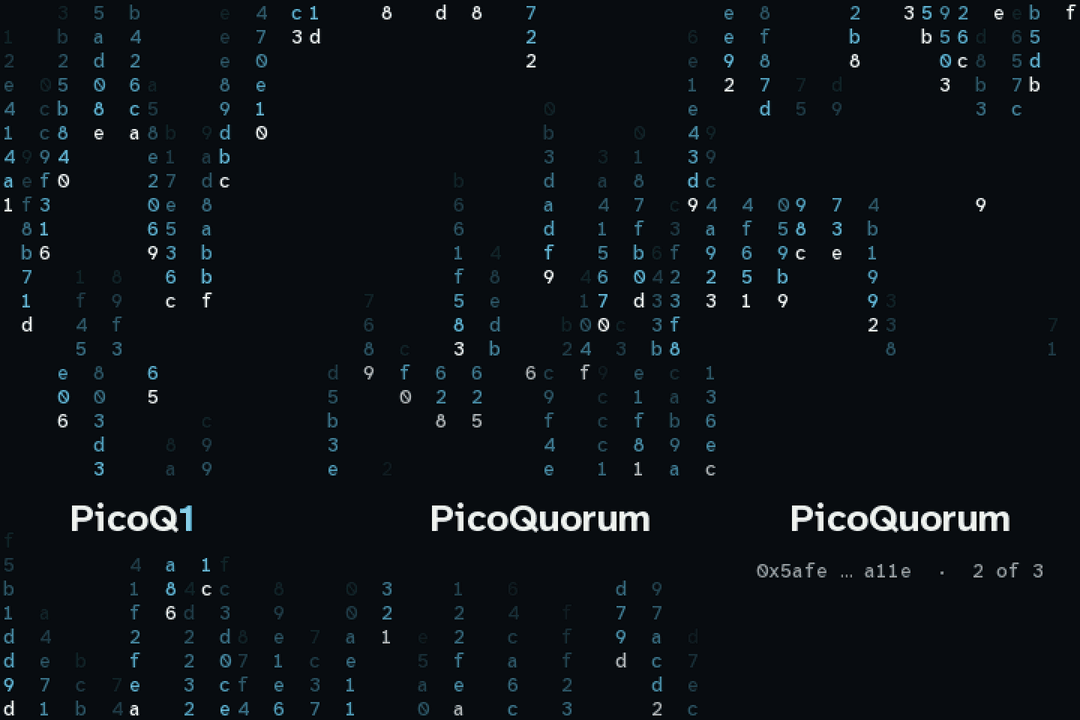
Boot screen options
Four ideas for what the console shows while it starts. Each one is the real firmware drawing code
(emu/sketches/bootfx.py), captured frame by frame at the firmware’s 50 ms tick
(tools/bootgifs). Try them in the emulator with tools/emu run bootfx; A cycles through them.
 |
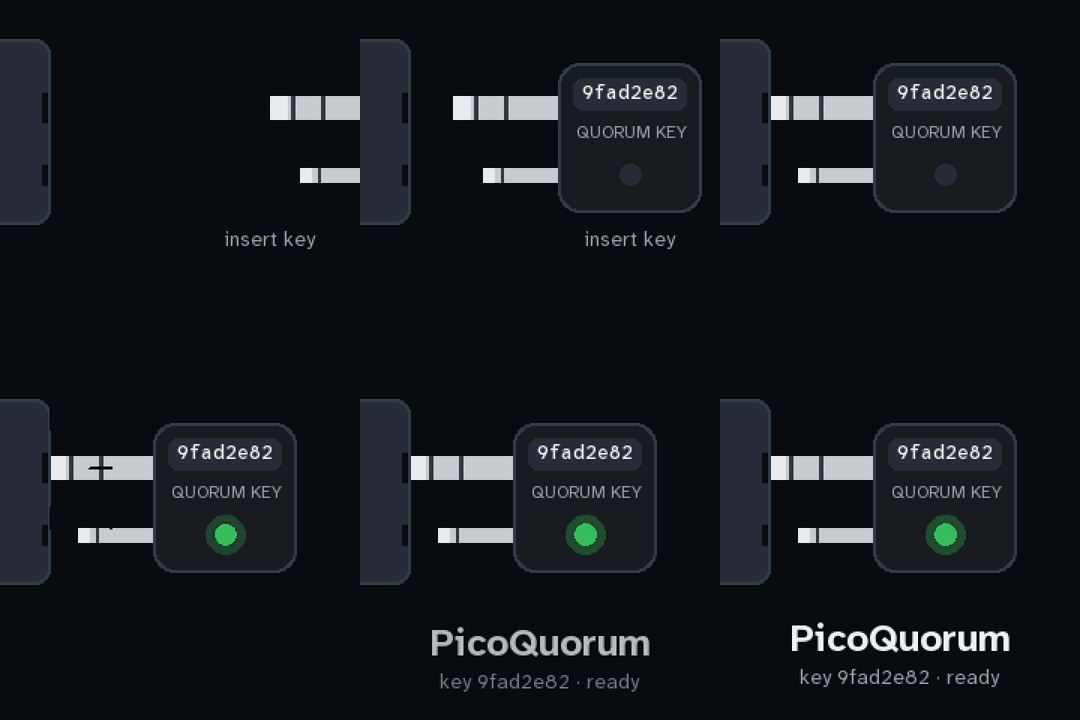 |
| 1. Quorum. Three owners swirl in and link up. Two vote, the check pops in: 2 of 3, ready. The end frame is the logo: three nodes, two filled. On the device each boot step (screen, WiFi, chip, the Safe) could light a node, so the animation is the progress. | 2. Plug in. The dual-plug key slides into the console’s jack, there’s a spark, and its light turns green. It shows the key’s fingerprint. It could play for real whenever a key is inserted, not only at boot. |
 |
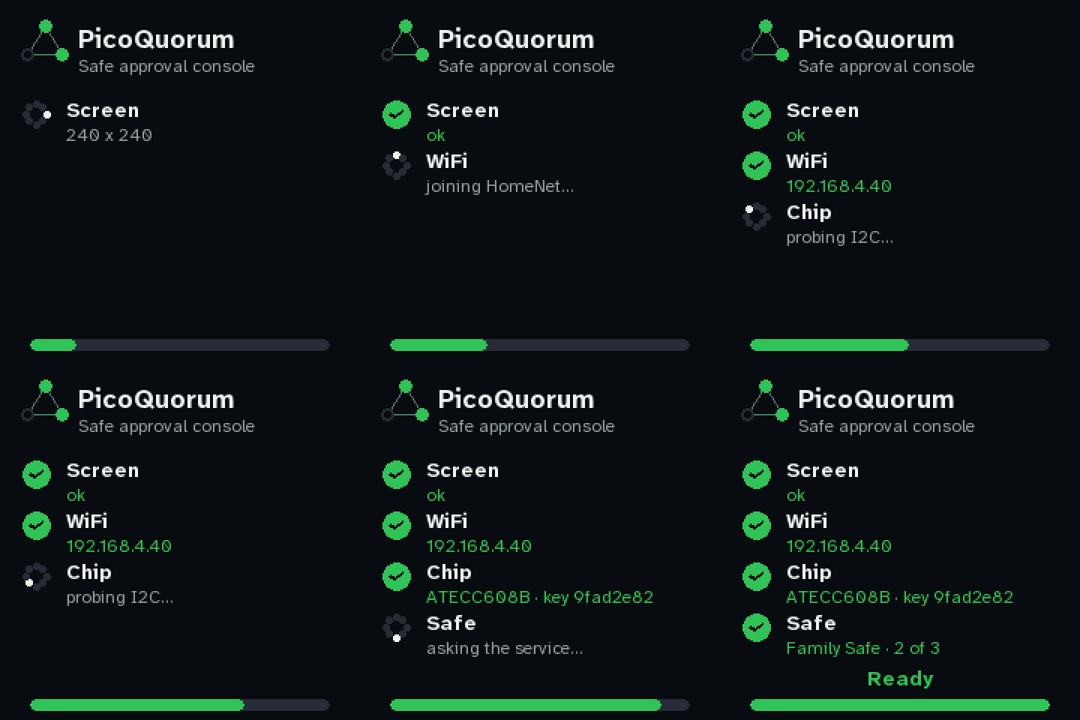 |
| 3. Hash rain. Falling hex settles into the name, then the Safe and its quorum. The most “crypto”, and the least about what the device does. | 4. Checklist. The practical one: each real boot step ticks off (screen, WiFi, the chip and its key, the Safe) with a progress bar. It’s today’s boot screen, redone in the new style. |
They can be combined: 1 or 2 as the first second, then 4 while WiFi joins. Which do you like?
Iteration log
Iteration 5 (2026-09-28): the OPTIGA Trust M, and what the chip says while it signs
The console now signs with either secure element. It finds out at boot whether an ATECC608 or an OPTIGA Trust M is on the bus. While it signs, it shows short facts that it reads from the chip itself. Details: docs/TRUSTM.md. These shots use the emulator’s virtual Trust M, which has been sealed as quorum-tm1. Its certificate comes from a test CA, so it reads “emulator CA”; a real chip reads “CA 101”.
 |
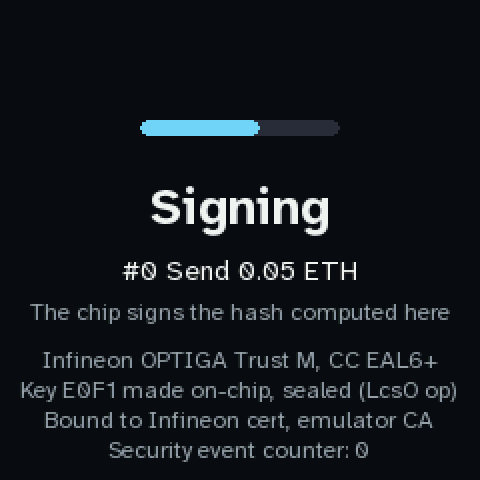 |
| Home on a Trust M. Nothing changes: the queue and the Safe are the same whichever chip signs. | Signing. The chip’s own facts, most telling first. It is an Infineon OPTIGA Trust M (CC EAL6+). Its key E0F1 was made on the chip and is sealed (lifecycle operational). The key is bound to the chip’s Infineon factory certificate, checked once at boot. The last line is its security event counter. |
 |
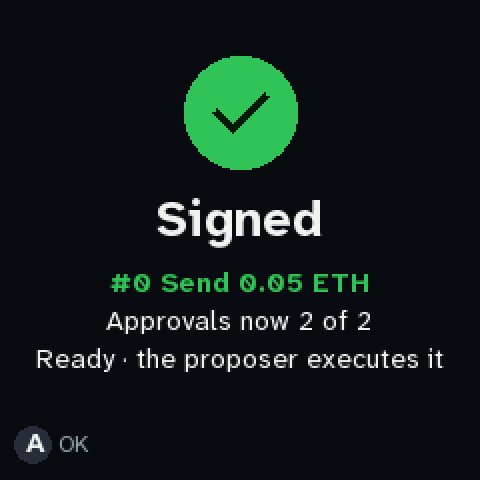 |
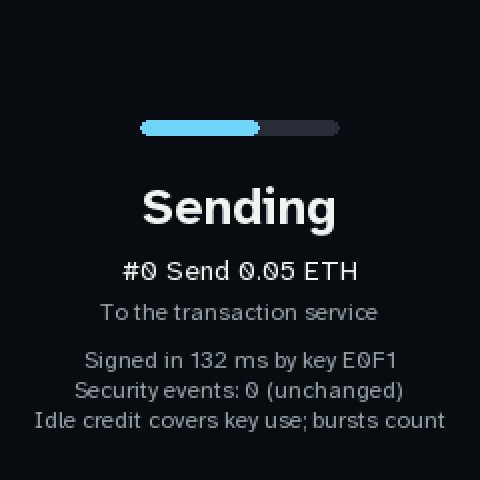
| Sending. How long the signature took and which key made it. Below that, the counter after the signature. The real chip pays for key uses from a credit it builds while idle. So a normal approval reads unchanged; in a burst it climbs by 1 per signature and fades about 1 every 5 s, and past a threshold the chip slows down. That is Infineon’s own brake, measured on the real chip. A signature adds at most 1, so only a larger rise is flagged on the result. | Signed. As before. With an ATECC the result adds its key-use count, and with a Trust M it adds a line only if the security counter rose by more than a signature can explain. |
 |
 |
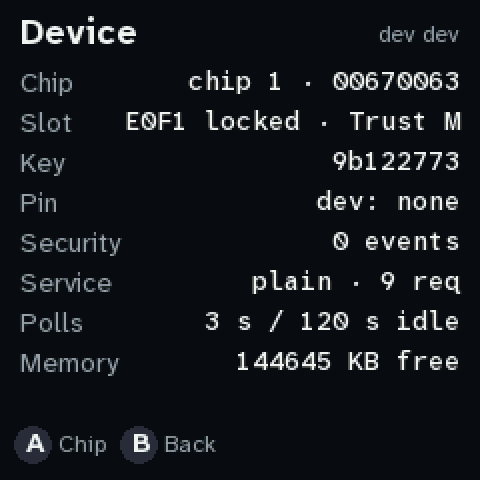
Device (X). The slot is E0F1 locked · Trust M. Where the ATECC shows Key uses, the Trust M shows Security, its event count. A (or the knob on Chip) opens the Chip pages. |
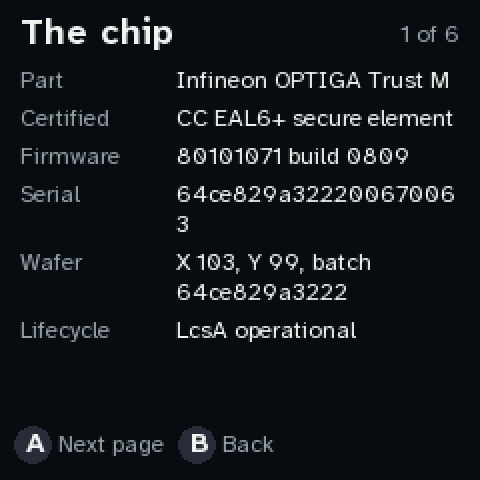
The chip (you asked for this: the Signing screen goes by too fast). Part, certification, firmware, serial, wafer position, lifecycle, security counter. Everything is read off the chip when the pages open. Long rows continue on the next page, so nothing is cut: 6 pages on this 240-wide screen, fewer on the 2.8”. |
 |
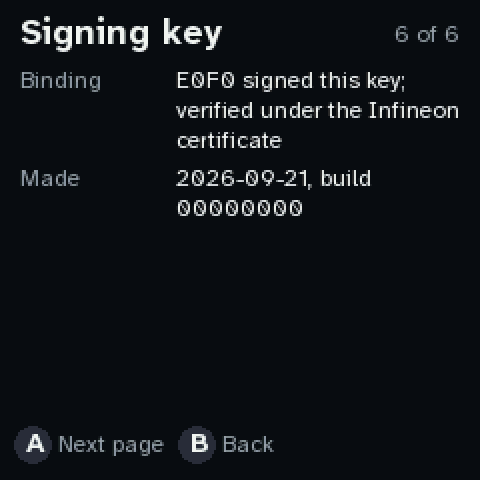 |
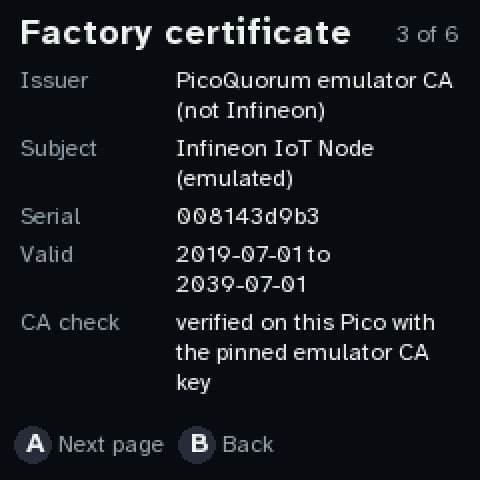
| Factory certificate. Issuer, subject, serial, validity, and the CA check, done on the Pico at boot against the pinned Infineon CA key (a real chip reads “CA 101”). The next page shows the certificate’s own key: E0F0, the factory key. | Signing key, continued. The binding (E0F0 signed this key, verified under the certificate) and when and by which build the record was written. The pages before it show E0F1, whether it is sealed, its access rules, the public key and the owner. |
Blockies for addresses (you asked for these). The pixel avatar an address gets is now drawn wherever you compare an address by eye:
- Ceremony T5 shows the new owner’s blockie under the address, and it stays on T6 and T7.
- Owners screen (B): one for every owner.
- Address on an approval page: for example the “new owner” of an add-owner transaction, so it is the same picture you saw at T5.
They are the standard 8x8 blockies of the lowercase address (firmware/blockies.py), the same picture at any size. I have not checked them against the Safe web app’s own avatars: compare with the address, not only the picture.
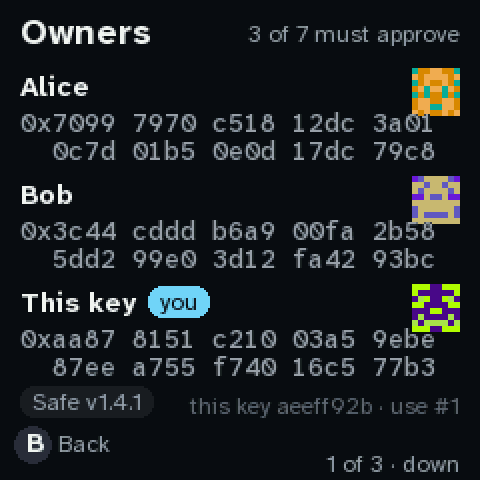
The Owners screen scrolls (you asked). It used to cut the list at four. Now it shows three owners a page on the 240x240 screen (four on the small 160x128), and down / right / a dial turn goes to the next page, up / left / a turn back to the previous one. The header line at the bottom right says which page (2 of 3 · down, or turn on the dial). B, A, Y, X or a dial press leaves.
 |
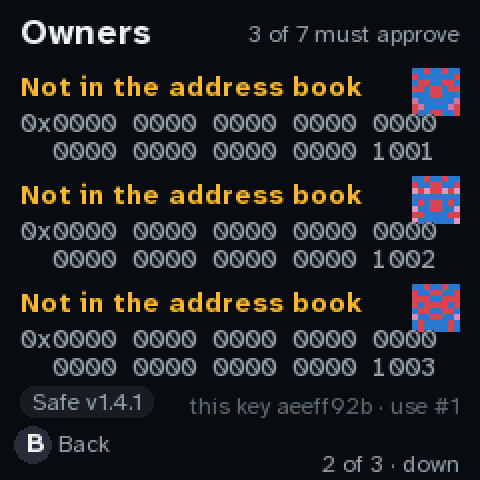 |
| Page 1 of a 7-owner Safe: Alice, Bob, and this key. | Page 2 (page 3 has the last owner). Each owner has its blockie. |
For you to decide: are four lines under Signing too many? The other candidates are the wafer
position and the firmware build (fw 80101071 build 0809, wafer 98,108); they are in the list,
but only the first four are shown.
Iteration 4 (2026-09-26): several Safes, several chains
The console now watches a list of Safes (QUORUM_SAFES, up to 4, any mix of chains). Home shows
one queue across all of them. Each Safe is asked about at its own chain’s service, one per poll
in turn. What the console knows (tokens, batchers, contracts) is per chain now, and Ethereum
mainnet (chain 1) is in the list. Guide: docs/guide/NETWORKS.md.
 |
 |
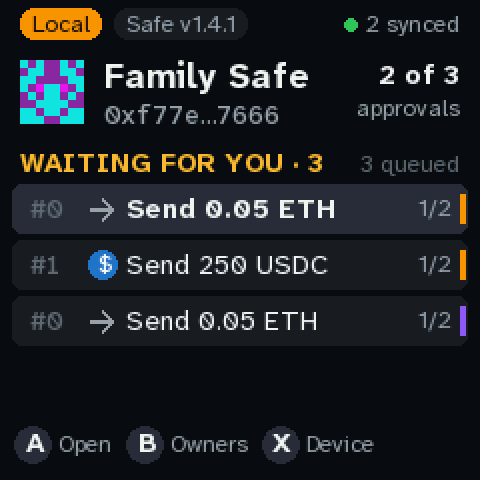
Home, two Safes. The Family Safe (Local) and a Test Safe on Base Sepolia. Each row’s stripe on the right is its chain’s colour. The header is the highlighted row’s Safe, and 2 synced says how many Safes answered. With one Safe, home is unchanged. |
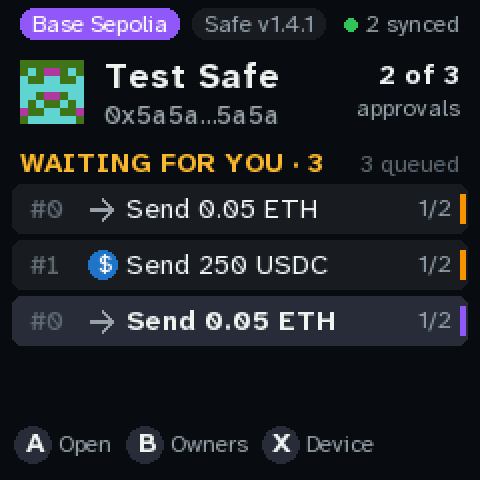
The highlight on the Base Sepolia row. The header follows it: Test Safe, its chain pill and its approvals. The USDC row keeps its Base logo, because each row is named with its own Safe’s chain. |
 |
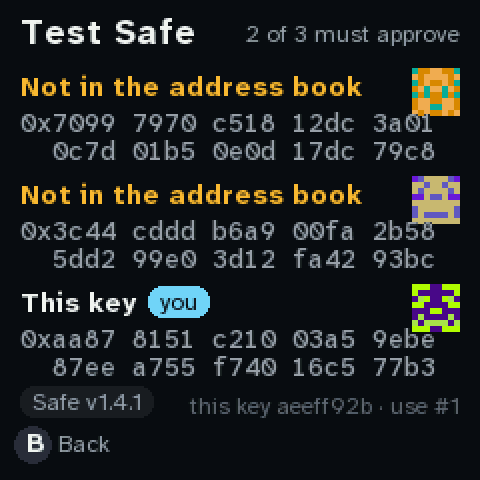 |
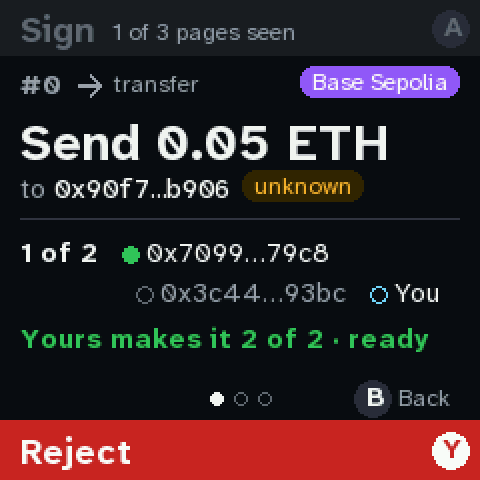
| Review. The chain pill is Base Sepolia’s. Alice and Bob show as plain addresses: the laptop’s names are used only on the local chain. The hash is computed for chain 84532, and the signature goes to that Safe’s own service. | Owners (B) for the Safe in view, titled with its name when there are several. |
Also refreshed: every home shot now reads X Device (it read “Chip” since the production image changed it, 2026-09-26).
Iteration 3 (2026-09-25): the signature and the owner are real
No new screens. What the chip signs, and who it signs as, are now what a real Safe checks:
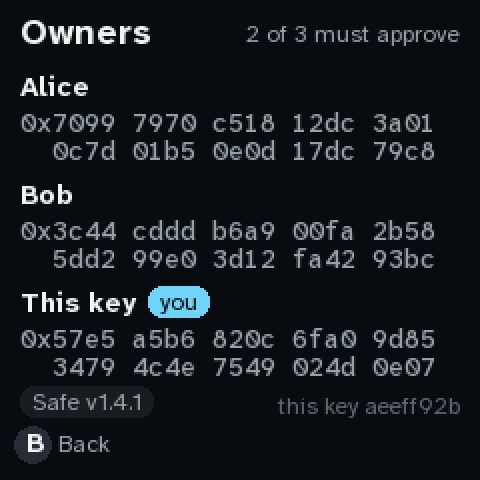
- This key’s owner address is its signer proxy: Safe’s audited passkey signer
(safe-modules passkey v0.2.1), which the factory deploys at an address fixed by the key. The
console computes it itself (
firmware/webauthn.py), and the deployed factory agrees (test-vectors/webauthn.json). - The signature is a WebAuthn assertion over the safeTxHash computed on the console, packed as
the Safe’s contract signature. The chip signs
sha256(authenticatorData ‖ sha256(clientDataJSON)), all of it built on the device. No blind signing. - The Family Safe now sits at
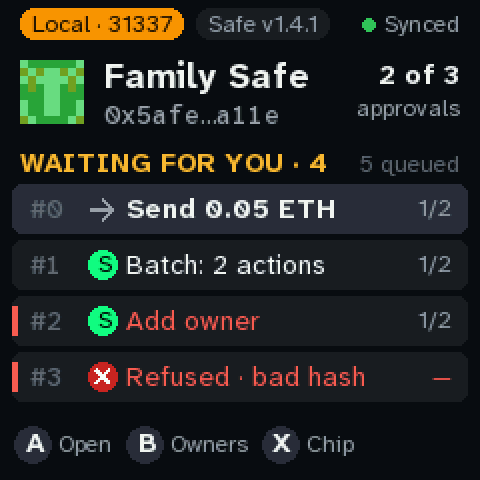
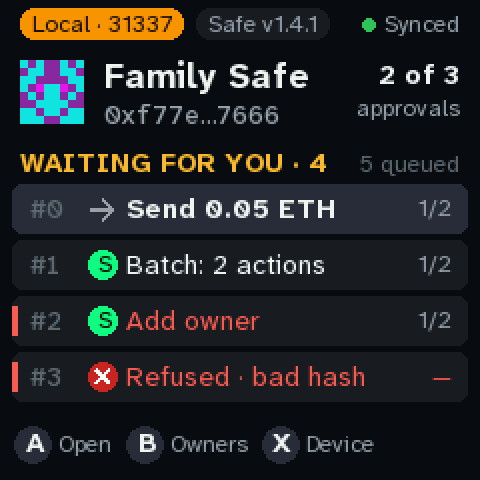
0xf77e…7666: the address Safe’s factory gives it on a fork of Base. The same console runs against a real Safe 1.4.1 there (tools/quorum up, seetools/mock-tx-service/README.md), andtools/quorum e2ehas the emulator’s chip approve a transaction that then executes for real.
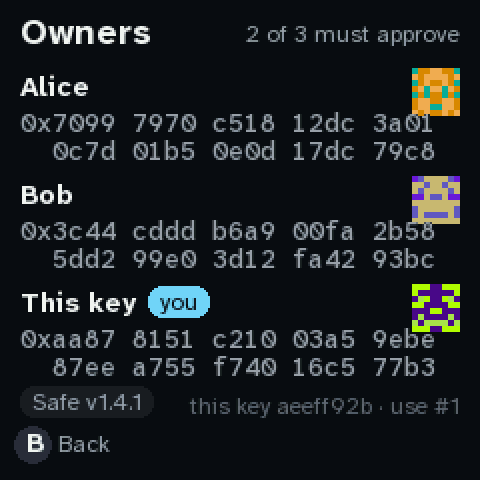
Screens that changed, only where an address shows: the Safe’s identicon and address on the queue, and “This key” on the owners page.
| Before (iteration 2) | After |
|---|---|
 |
 |
 |
 |
Iteration 2 (2026-09-25): real type, a new theme, who’s being called, the Safe version
You asked:
- Is the blocky text necessary? It isn’t a choice we made. MicroPython’s framebuffer only has an 8×8 font, and everything bigger was those pixels drawn 2, 3 or 4 times larger.
- Try a clearer theme that uses the resolution.
- Show a Safe or Uniswap icon for verified contracts, and an alert for custom ones.
- Show the Safe version.
What changed:
- Real, anti-aliased type. The font is
Atkinson Hyperlegible from the Braille Institute,
made so that 0/O, 1/l/I and similar pairs can’t be confused. That matters on a device whose
whole job is getting people to compare addresses.
- A sans for words, a mono for addresses and hashes, seven sizes.
- They’re rendered on the laptop (
tools/fonts/gen.py) into 34 KB of glyph files, and the Pico draws them in C with 16 shades of anti-aliasing (firmware/fonts.py). - SIL Open Font License, credited in
NOTICE.
- A new theme. Near-black and neutral instead of navy and neon, with colour kept for meaning:
green = sign, red = danger, amber = caution, blue = what’s at stake.
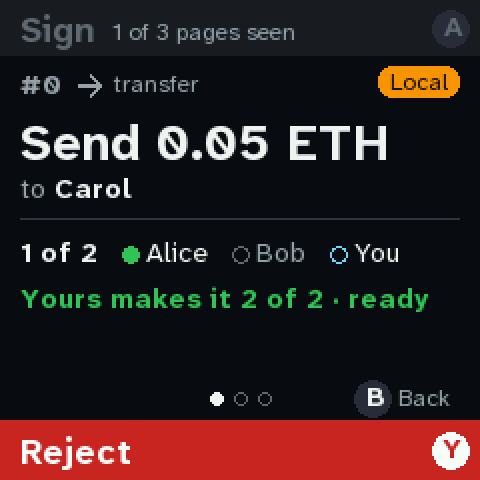
- Rounded cards, sentence case, and small uppercase labels over big headlines.
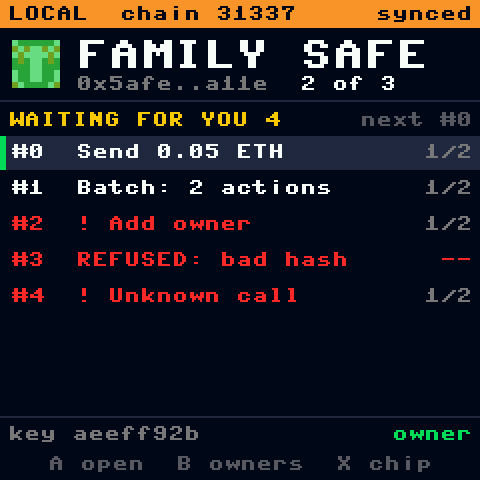
- Buttons are shown as key badges (Ⓐ Ⓑ Ⓧ Ⓨ) next to what they do, instead of arrows.
- There’s also a light theme, set with
QUORUM_THEME = "light"insecrets.py. Compare them in section 11.
- Who’s being called (section 10):
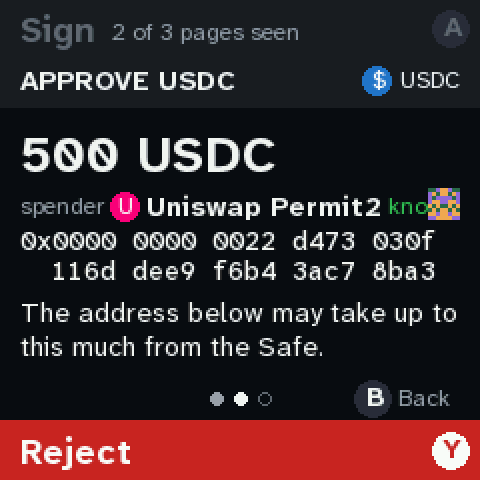
- A contract the console knows shows its logo and “known”: Safe’s own contracts, USDC, Uniswap’s router and Permit2.
- Any other contract gets a ⚠ “Unknown contract” alert, in the header and on the page.
- This shows in the queue rows, on the summary header, and in each page’s header.
- “Known” means pinned on the console in
quorum_cfg.py, never what the service or a block explorer claims. - The logos are coloured monograms drawn on the device, not copies of anyone’s artwork.
- The Safe version (section 12):
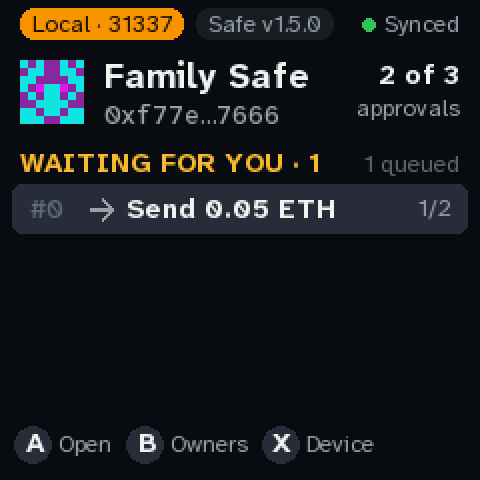
- A pill on the home screen and the owners page, and the verify page names the hash rules it used.
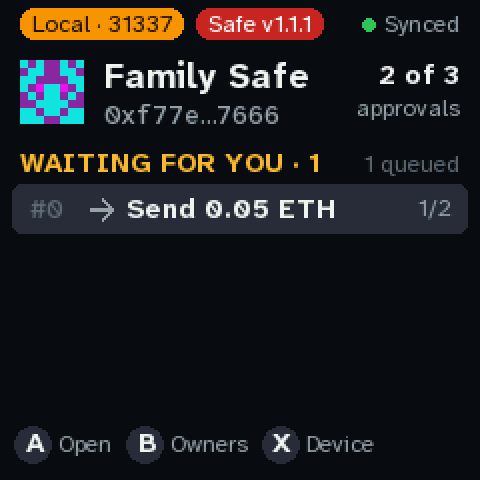
- The console’s hash is right for Safe 1.3.0 and later (1.3.0, 1.4.1, 1.5.0 all share it). An older Safe turns the pill red, and the console refuses to sign.
- Smaller fixes:
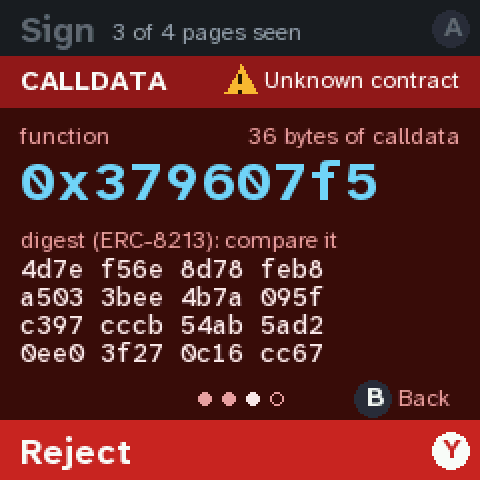
- Calls nobody decoded get a second page, Calldata: the function selector, its size, and the digest to compare.
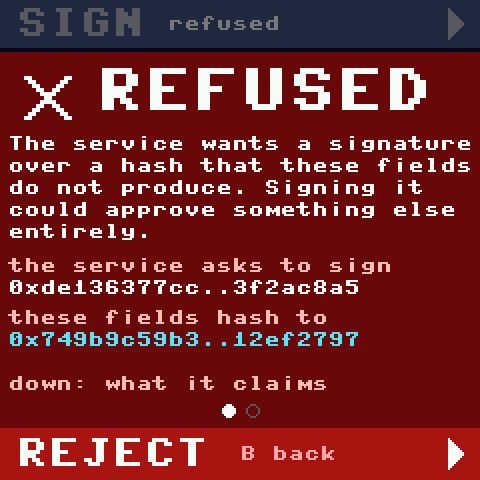
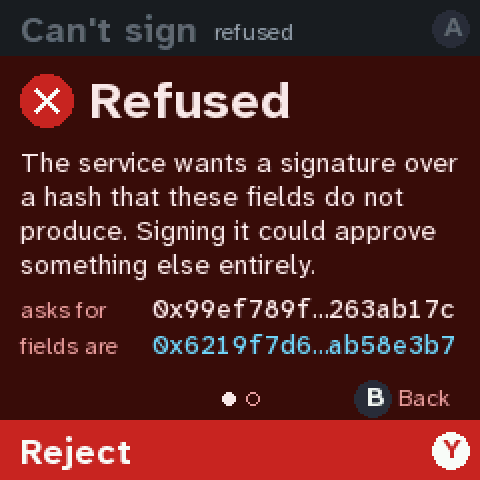
- The refused page compares the two hashes on two short lines.
- The approvals line is one row:
1 of 2 ● Alice ○ Bob ○ You.
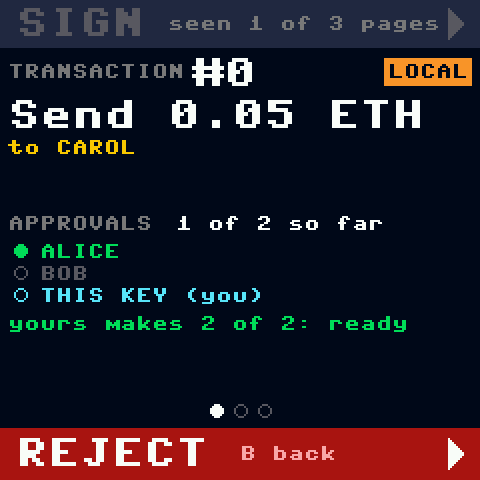
| Before (iteration 1) | After |
|---|---|
 |
|
 |
 |
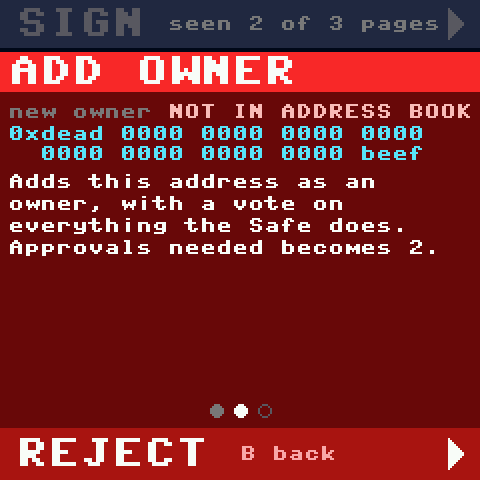 |
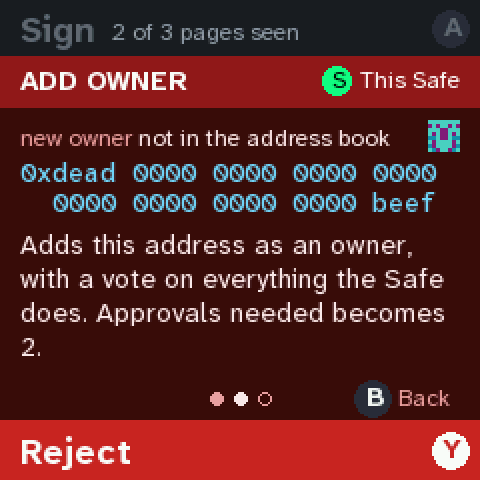 |
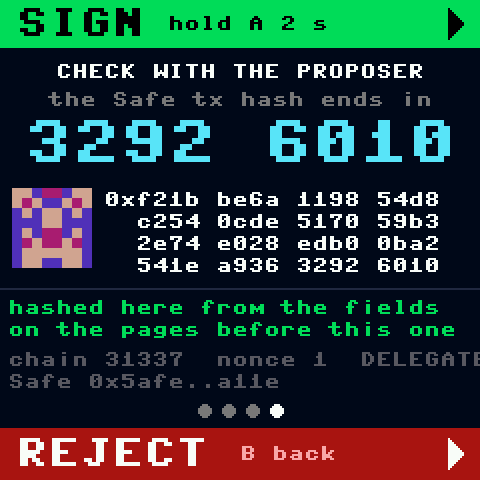 |
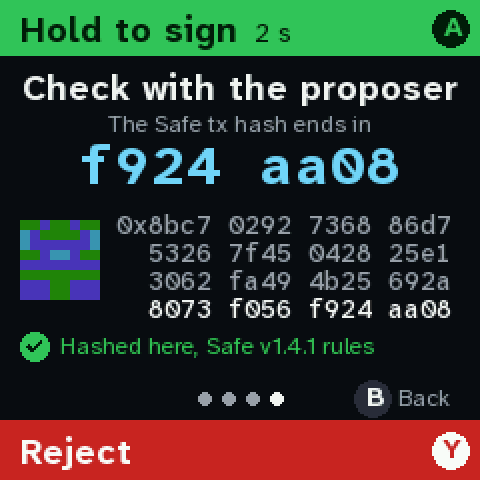 |
 |
 |
Questions for you:
- Dark or light? Dark is the default.
- Which contracts should be known? Today: Safe MultiSend, USDC, Uniswap Router and Permit2.
The list lives in
quorum_cfg.pyand is easy to extend: Aave, Cowswap, ENS, the tokens you hold… - Real logos? The monograms are a stand-in. Real logos would be small bitmaps pinned the same way, but their licences need checking first.
- Uniswap swaps are yellow. The router is known, but its
executecall isn’t decoded yet (the swap’s path and amounts). Worth decoding next, or is yellow plus “confirm with the proposer” enough for now?
Iteration 1 (2026-09-24): the first pass
- The queue, a summary page, one page per thing the transaction does, red pages, the verify page, and hold A to sign after seeing every page.
- The console refuses outright when the service lies about the hash or the Safe.
- A simulated 2-of-3 Safe on the laptop checks the chip’s P-256 signature independently.
- Open questions from then:
- Y rejects on this console only. Should it also offer the Safe’s on-chain rejection?
- Hold times: 2 s normally, 3 s for red.
- The 8-character verify code.
- B = back.
- Unknown tokens are yellow.
Not yet (iterations 1 and 2): no chain and no Safe contracts, the chip’s raw r‖s as the signature, and a stand-in owner address. Iteration 3 made all three real.
The setup
| Safe | Family Safe, 0xf77e…7666, v1.4.1, on chain 31337 (Local: nothing signed here is valid on a real chain) |
| Owners | Alice and Bob (simulated, on the laptop) and This key (the chip, through its signer proxy), 2 of 3 must approve |
| Buttons | A (top, green) sign · B back / owners · X device · Y (bottom, red) reject · stick: pages |
| Pinned | the Safe, the chain, the names, the known contracts and tokens live on the console (firmware/quorum_cfg.py); the transaction service is not trusted for any of it |
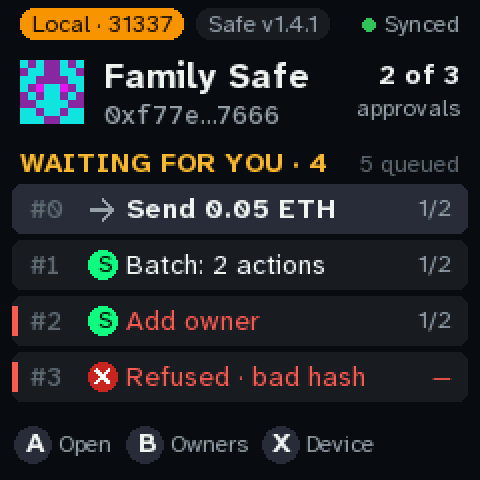
The demo queue: Alice sends ETH, a batch, Bob adds a stranger as an owner, a transaction the service lies about, and a call nobody can decode.
1. The queue
- Top row: the chain, the Safe’s version, and whether the console reached the service.
- Each row:
- An icon for who it calls: → for a plain transfer, a logo for a known contract, ⚠ for an unknown one, ✕ when refused.
1/2is the approvals so far.- A red or amber edge marks a row with red or yellow pages.
- The Pico’s LED blinks while anything waits for this key.
2. A first approval: Alice sends Carol 0.05 ETH
|
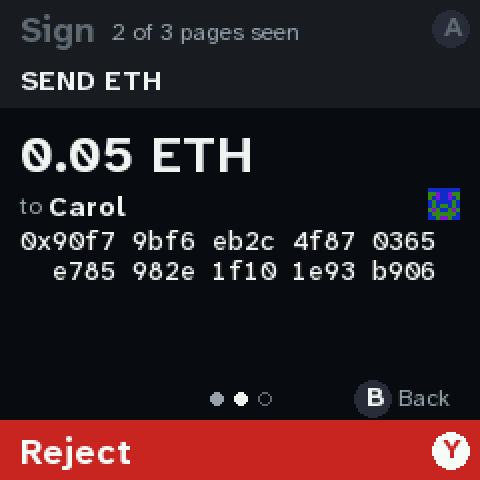 |
| A on the row: the summary. What it does and who has approved: filled dot = signed, blue = you. It also says what your approval would do. SIGN is grey: 1 of 3 pages seen. | Down: what it does. The amount, the name from the address book, and the full address in 4-character chunks. The name is a hint; the address is what’s signed. |
 |
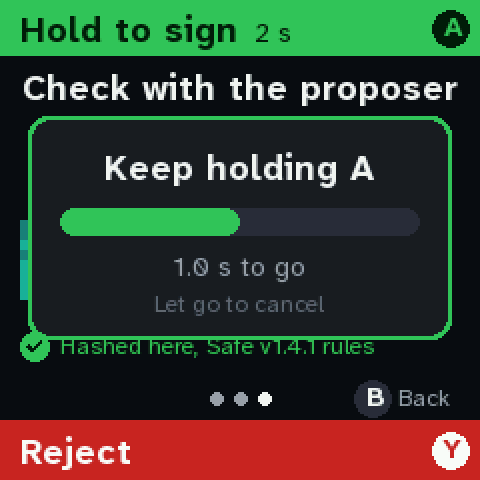 |
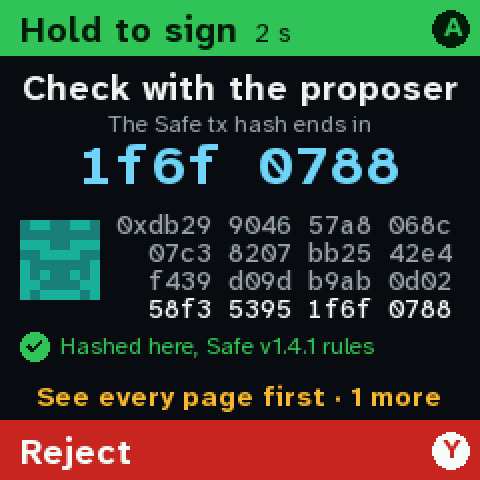
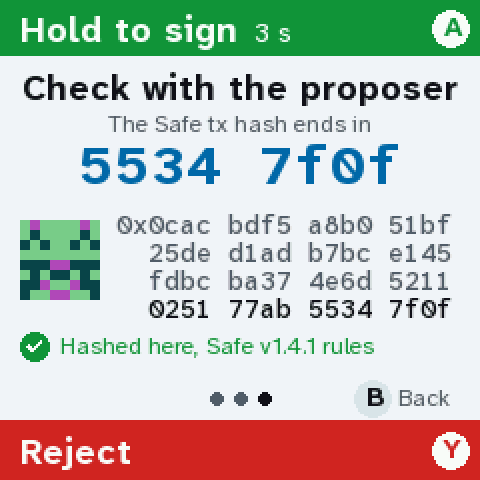
| A before the last page jumps to the page you haven’t seen and says why. This is the verify page: the hash was computed here from the fields on the pages before. Its last 8 characters are what you’d read to the proposer on a call. | Hold A. The bar fills over 2 s. Let go and nothing is signed. |
 |
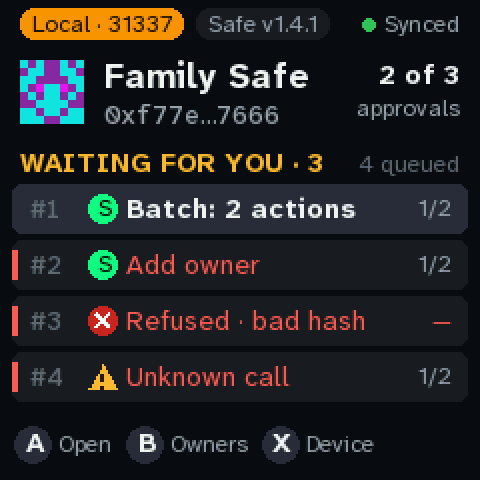 |
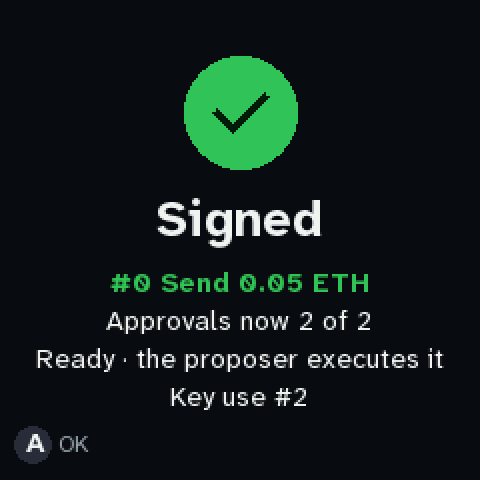
| Signed. The chip signed the hash, and the laptop checked the P-256 signature against this key. 2 of 2, so the simulated Safe executes it. | Back home: #0 is gone and the queue moves on. |
3. A batch: two payments in one transaction
 |
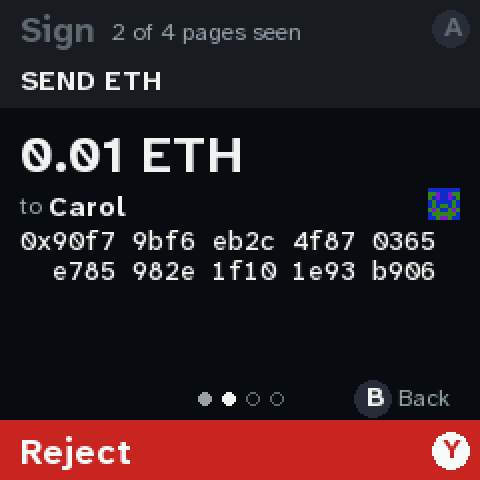 |
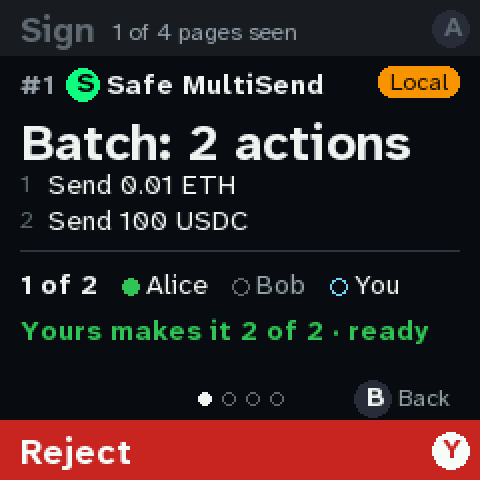
| The header shows it goes through Safe MultiSend, a known contract, so its delegatecall isn’t a red flag. The summary lists every call. | Each call gets its own page… |
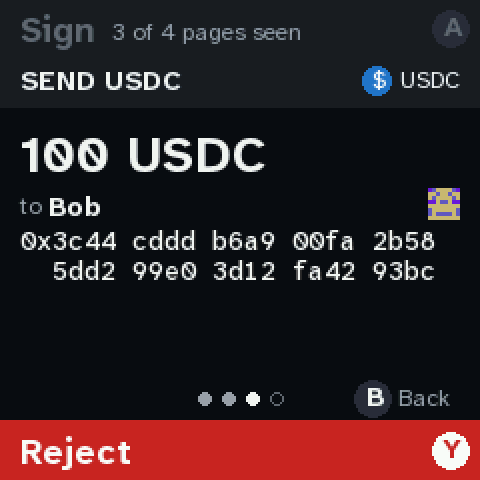 |
|
| …with token amounts in the token’s real decimals, and the token contract in the header. | One hash covers the whole batch. |
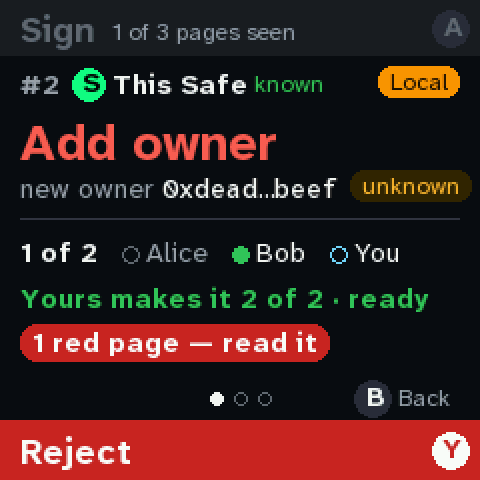
4. A red screen: Bob adds a stranger as an owner
 |
|
| The Safe is calling itself (its settings). The new owner is flagged unknown, and there’s a banner: 1 red page, read it. | The red page is red all over. The thing at stake (the address that would get a vote) is in blue. |
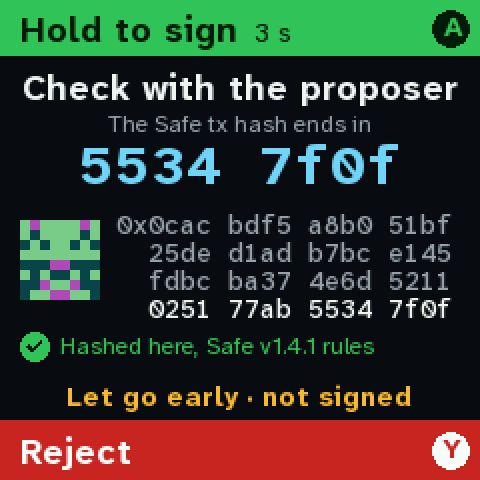 |
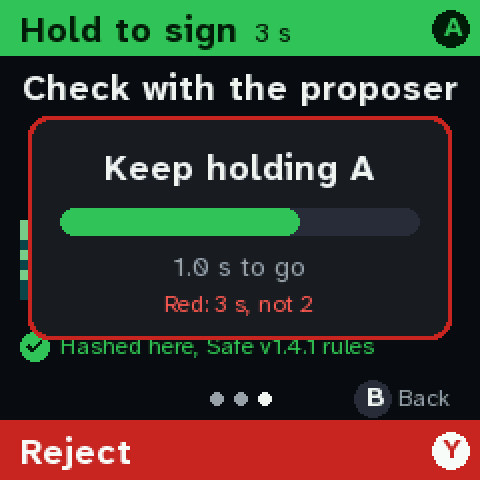 |
| A red transaction needs 3 s. Letting go at 2.3 s signs nothing. | The hold card says why it’s longer. |
5. The service lies
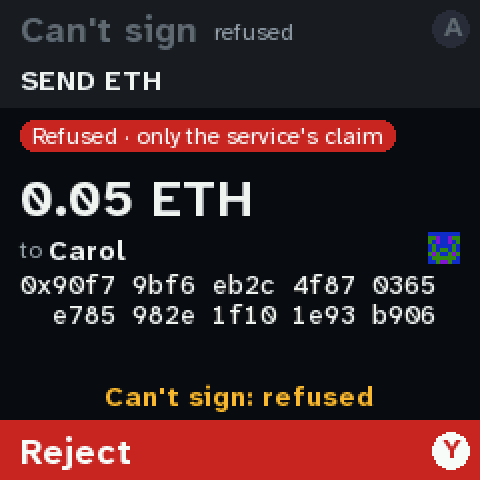
The service shows “0.05 ETH to Carol” but asks for a signature over the hash of 5 ETH to a stranger. A console that signed the hash it was handed would approve the theft.
|
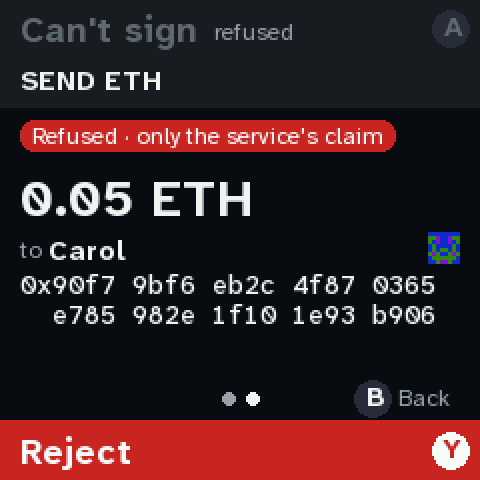 |
| Refused. The console hashed the fields itself and got a different hash. Both are shown. | Down shows what the service claims, marked as a claim. |
 |
|
| A does nothing but say why. Y (reject) still works. |
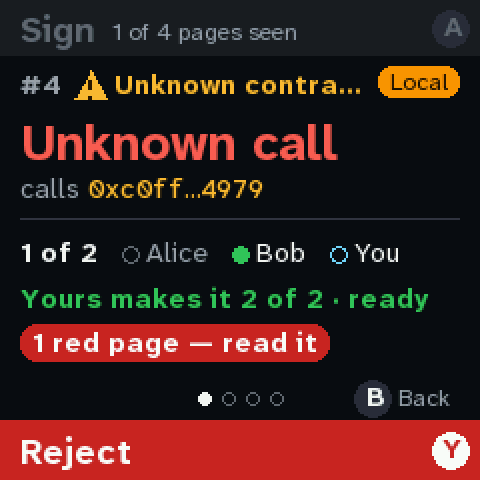
6. A call nobody described
 |
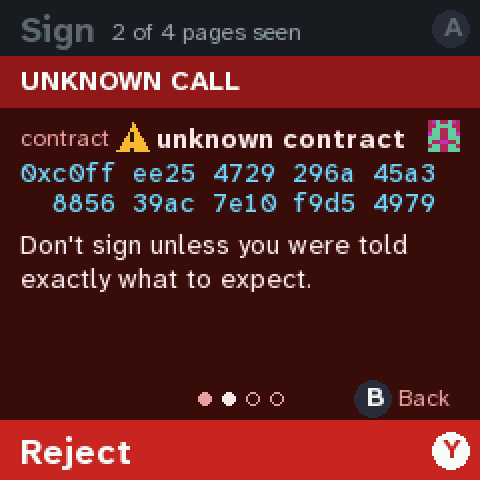 |
| ⚠ Unknown contract in the header, and the headline in red. | The contract, flagged, in full. |
 |
|
| Calldata: the function selector, the size, and the calldata digest (ERC-8213), to compare with what the proposer says they sent. |
7. Rejecting
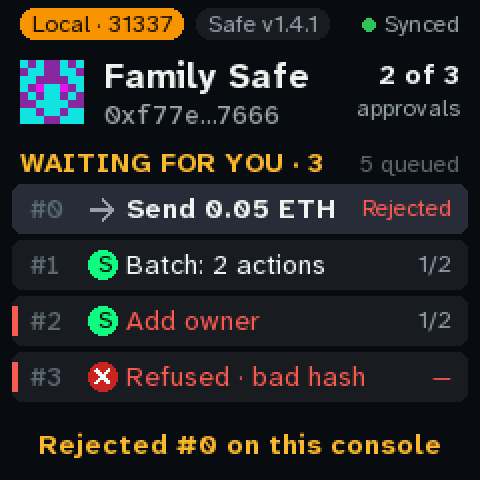
Y on any review page: instant, no hold. The row shows Rejected, and the laptop’s log says who
rejected it. It isn’t sent to the Safe (iteration 1’s question 1).
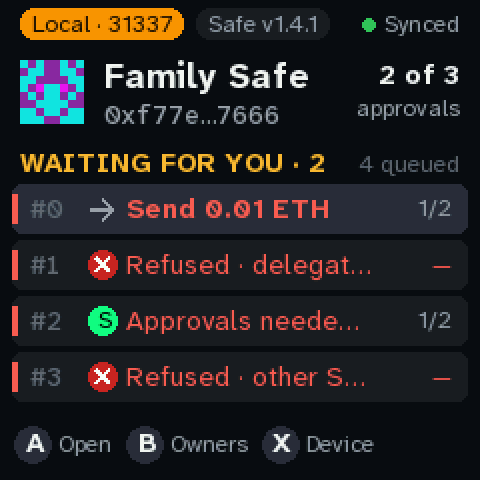
8. More red screens
 |
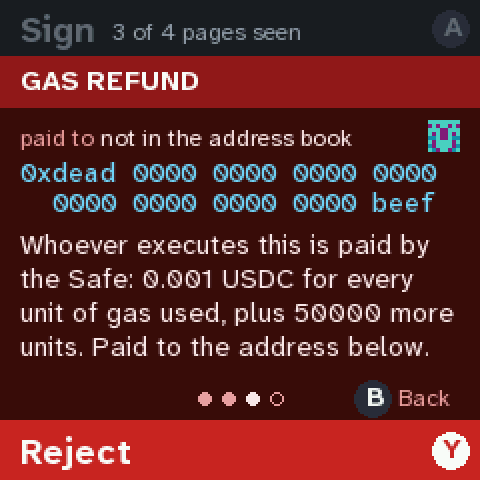 |
| A queue of the other red cases. | A gas refund: the Safe would pay whoever executes it, in USDC here, to an unknown address. |
 |
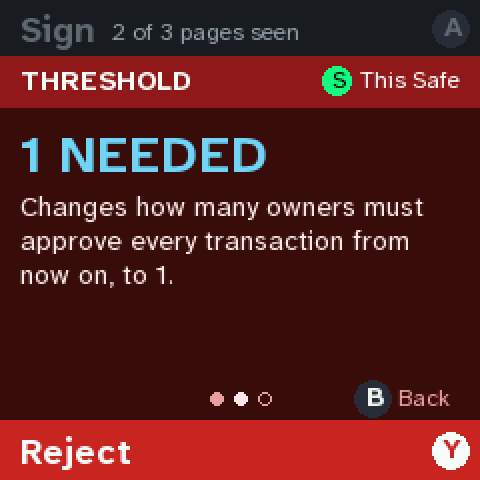 |
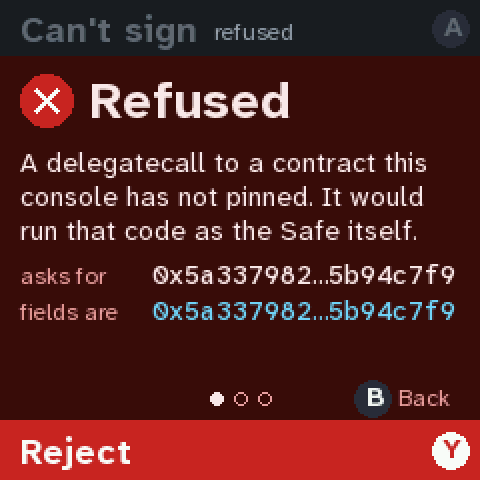
| Delegatecall to an unpinned contract: it would run as the Safe, so it is refused (a red page you could sign, until the production image). | Threshold change to 1: any one owner could then move everything. |
 |
|
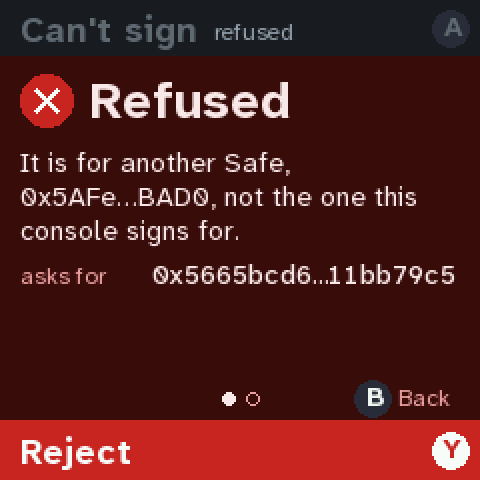
| A transaction for a different Safe slipped into this one’s queue: refused. |
9. Two proposals for one number
 |
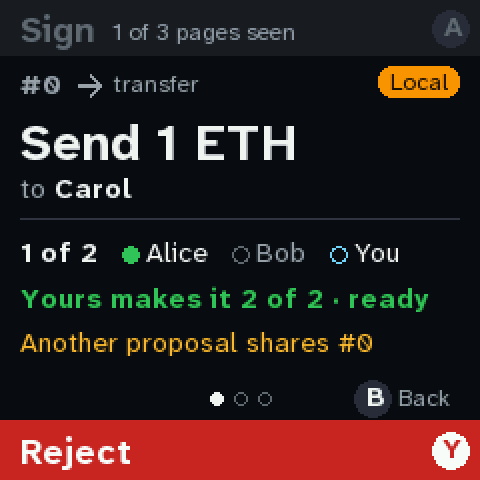 |
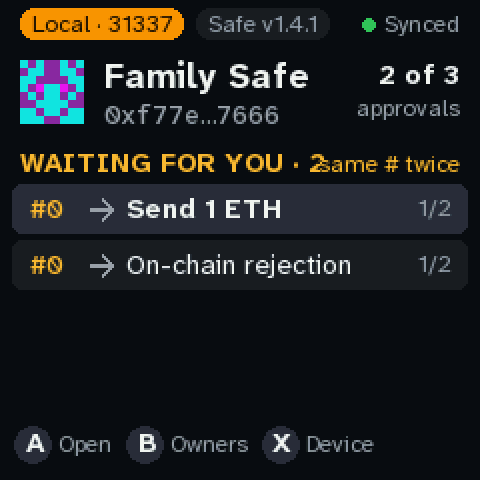
| Alice proposes 1 ETH to Carol, and Bob proposes to reject it at the same number. Only one can run. | The summary says so. |
 |
|
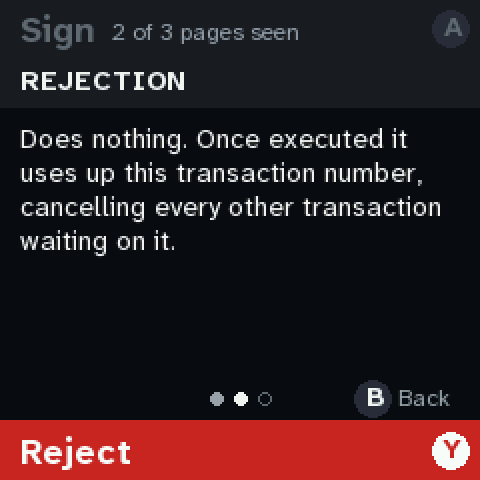
| The Safe’s on-chain rejection, explained. |
10. Who’s being called
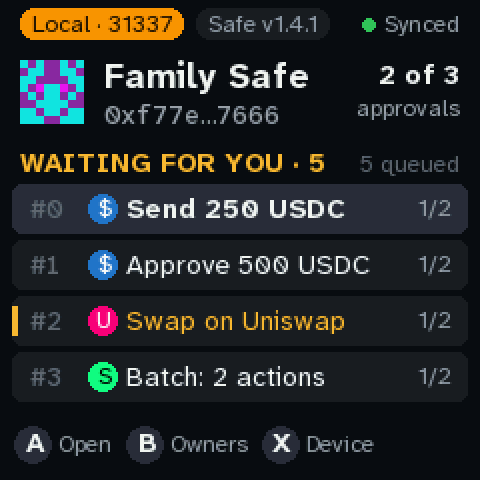
A queue of known contracts: a USDC transfer, a USDC approval for Uniswap, a Uniswap swap, and a Safe batch.
 |
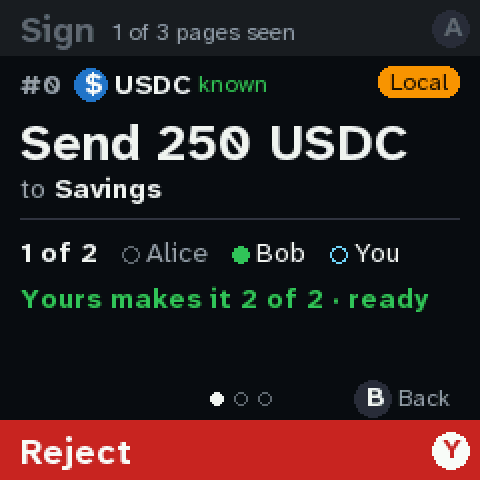 |
| Each row’s logo says which contract it calls. | Header: $ USDC, known. The recipient comes from the address book. |
 |
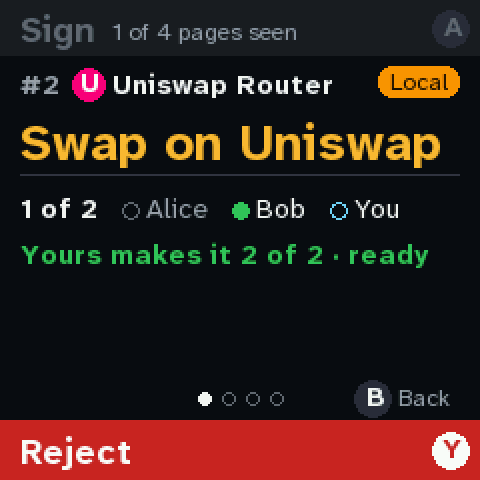 |
| An approval where the spender is a known contract (Uniswap Permit2): its logo and “known” next to the full address. | A known contract, a call not decoded yet: Uniswap’s router. Yellow, not red: the contract is known, but the console can’t show the swap’s amounts. |
 |
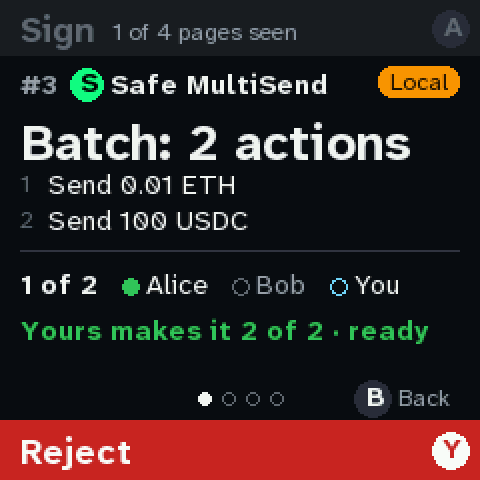 |
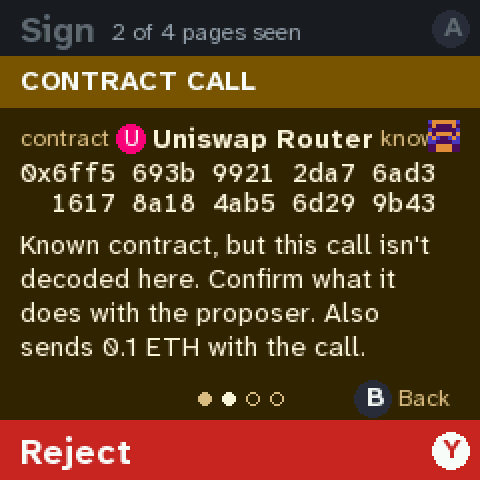
| It says so, and asks you to confirm with the proposer. It also sends 0.1 ETH. | Safe’s own MultiSend in the header of a batch. Compare the ⚠ Unknown contract in section 6. |
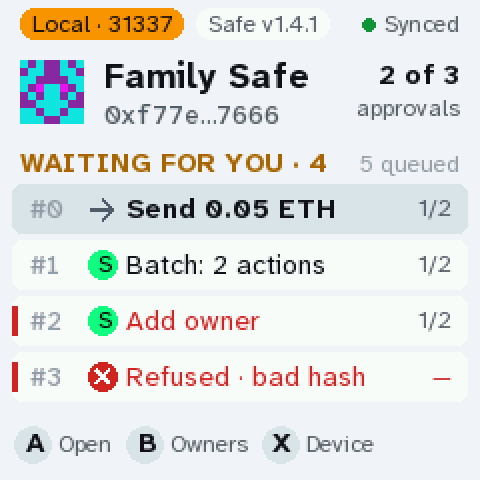
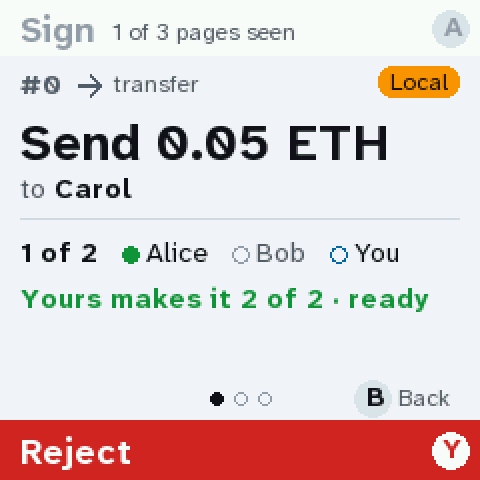
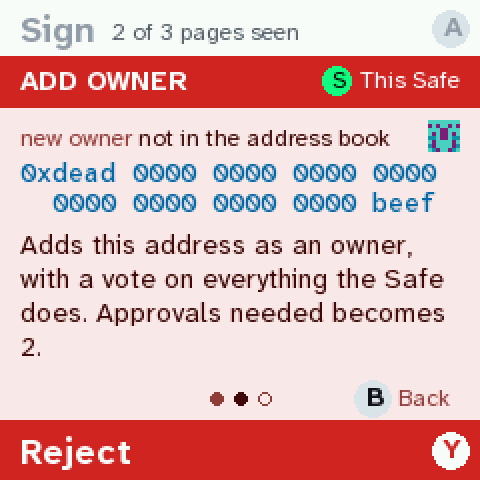
11. The light theme
The same screens with QUORUM_THEME = "light".
 |
 |
 |
 |
12. The Safe version
 |
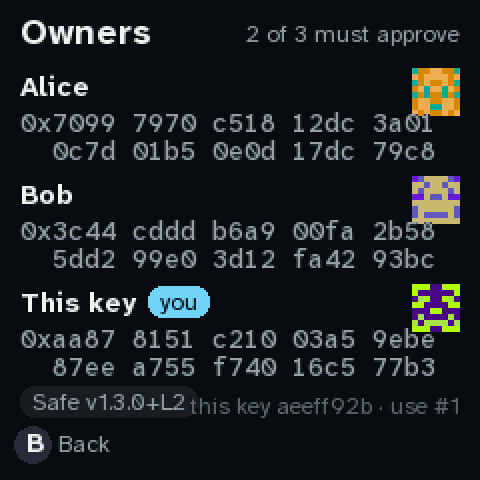 |
| Safe v1.5.0 on the home screen. | v1.3.0+L2 (how the service reports an L2 Safe) on the owners page. |
 |
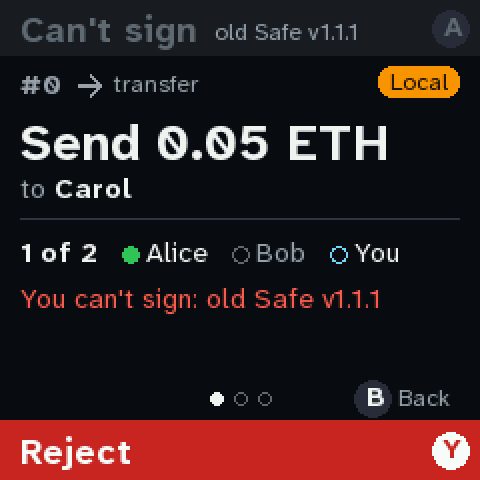 |
| An old Safe (v1.1.1) turns the pill red… | …and the console won’t sign: before 1.3.0 the hash covered different fields. |
13. The rest
|
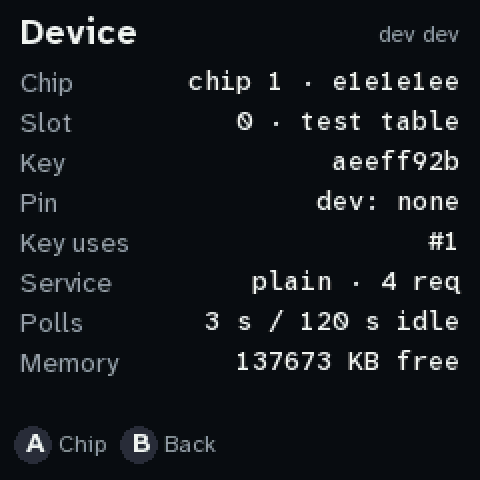 |
| B from home: the owners in full, the Safe’s version, and this key. | X from home: Device: the build, the chip and its pin, the key’s use count, the service, polls and memory. (The chip map is on the ceremony image now.) |
 |
|
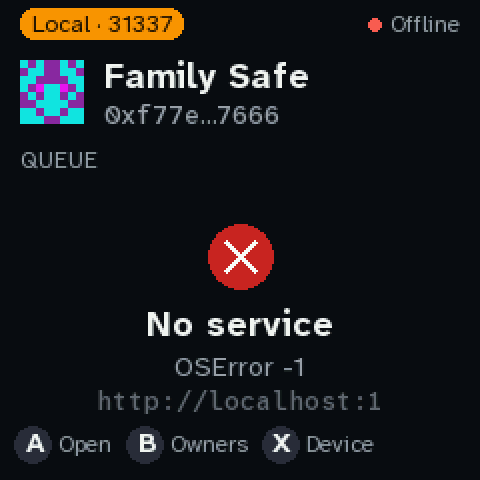
| No service: the error and the URL it tried. Everything local still works. |
Run it yourself
tools/quorum serve                 # the simulated Safe + a dashboard at http://localhost:8787
tools/quorum demo                  # the demo queue
tools/quorum reset uniswap-swap batch --version 1.5.0
EMU_APP=http://localhost:8787 tools/emu run quorum    # the console in the emulator, talking to it
tools/quorum confirm 1 --as bob    # a co-signer approves #1
tools/quorum status                # who has signed what
tools/quorum shots                 # regenerate every picture on this page
On the Pico, secrets.py gets QUORUM_URL = "http://<this Mac's LAN IP>:8787" (tools/quorum ip
prints the line) and, if you like, QUORUM_THEME = "light".
Change requests
Edit this list on GitHub: add a line, tick one off, or write under it. Each iteration starts here.
- Is the blocky text necessary? No: real anti-aliased type now (iteration 2)
- A clearer theme that uses the resolution (iteration 2: dark, plus a light option)
- Show Safe or Uniswap icons for known contracts, an alert for unknown ones (iteration 2)
- Show the Safe version (iteration 2)
- (add yours)